I test a lot of keyboards, but that doesn't mean I'm always using a brand-new keyboard. I do make a point to type every keyboard review on the keyboard I'm testing, but I usually stop using the keyboard once I've finished the review. I'm a writer and a gamer, so I'm very particular when it comes to the keyboard I use every day — and it's usually difficult for me to find one keyboard that satisfies both my writing side and my gaming side. But there are a few keyboards I keep coming back to for one reason or another.
First things first: while I test a lot of keyboards, any full-size keyboard (one with a 10-key numberpad, that is), is probably going to get a second look from me. I'm the kind of person who really needs a 10-key numberpad, a full function row, and, ideally, a higher-than-average number of dedicated macro keys. While I don't personally need a volume knob — I usually map volume control to two of my mouse's 19 buttons — I won't say no to a rotary knob (or two). So this is, to some extent, informed by my preferences and isn't just a purely objective list of the best keyboards we've tested (this is a more objective list of the best keyboards we've tested), but don't worry — it's not all full-size keyboards.
My current daily driver technically isn't a full-size keyboard, but functionally it... sort of is. It's the Corsair Galleon 100 SD, which I've been using pretty consistently since I reviewed it back in February. It's technically a TKL layout — full function row, navigation cluster, and arrow keys, but no numberpad — but it has a built-in Stream Deck with two rotary knobs, 12 customizable LCD keys, and a full-color screen (non-touch). I thought I needed a numberpad, but what I really needed was... well, a bunch of extra keys next to the keyboard that basically make up a numberpad, I guess.


But the built-in Stream Deck isn't the main reason I've been using this keyboard so consistently — it's the keyboard itself. This is a great-feeling and -sounding keyboard — it comes with Corsair's MLX purple switches (linear), which are pre-lubed and have an actuation force of 45g. I don't usually like linear switches, but these are smooth, stable, and lightweight, and they have a nice thocky sound when they bottom out, which is unusual for linear switches. The keyboard's PCB is hot-swappable, but I haven't bothered switching these out because I genuinely enjoy typing on them. The keycaps are double-shot PBT, but I've noticed the alphanumeric keys are starting to get a very minor shine after three months of consistent use. And I like that they're lower profile (close to Cherry profile).
Of course, the built-in Stream Deck is definitely part of what keeps this keyboard on my desk. I still use the 12 LCD keys as a numberpad much of the time, because I use an external free cam software in several of the games I play, and its controls are set up by default to work with a numberpad. But for when I'm not using the free cam software, I've programmed in a couple pages' worth of other shortcuts (though one page is just various special characters/symbols I usually insert with Alt codes — so, technically still numberpad functionality). I'm still not fully convinced that a built-in Stream Deck trumps a numberpad, but I like the Galleon 100 SD's keyboard enough that I'm willing to work with it.

Full-size gaming keyboards are sort of hard to come by — prior to the Galleon 100 SD, I was (reluctantly) using the full-size Glorious GMMK 3 as my "numberpad keyboard," alongside the Wobkey Crush 80 Reboot Pro as my "typing keyboard." While the GMMK 3 is beautiful and super solidly built (my iteration was a custom-built wireless full-size version with a full aluminum case and magnetic tactile switches), its typing experience leaves something to be desired. Enough "something" that I switched it out for the Crush 80 Reboot Pro if I knew I was going to be just typing for a while. Occasionally, I also switched it out with the Razer DeathStalker V2 Pro, which is a full-size wireless low profile keyboard with optical switches (it comes with both linear and clicky switch options; I like the clicky switch version), just because it was easier to quickly switch between the DeathStalker V2 Pro and the Crush 80 Reboot Pro — the GMMK 3 is not only one of the heaviest keyboards I own, the way its base flares outward makes it very difficult to pick up.

As for why I swapped in the Crush 80 Reboot Pro, well, that's pretty simple: It's one of the best feeling and sounding keyboards I've used, and it's just so enjoyable to type on. It's a wireless TKL keyboard, which means it has a full function row, arrow keys, and navigation cluster but no 10-key numberpad (and no built-in Stream Deck or any extra macro keys to make up for that), but I tend to use it in wired mode because the wireless switch is located under the Caps Lock key. It comes with Kailh Cocoa switches, which are factory-lubed linear switches with an operating force of 45g and a bottom-out force of 55g, and these sound incredible — crisp, creamy, and very satisfying when they hit the board's gasket-mounted flex-cut FR4 switch plate. The board has excellent acoustics overall, thanks to additional Poron case foam and extra PCB film for consistency. However, the board isn't really set up for gaming, as it only gets a 500 Hz polling rate over its wired connections (and only 250 Hz over its wireless connection).

Another keyboard I still sometimes switch in as a daily driver between testing is the Asus ROG Strix Scope II 96 Wireless, which has been at the top of our list of best wireless gaming keyboards for a while now. I don't love 96-percent keyboards because I can't quite get used to the layout, but it is significantly more compact than full-size keyboards and sometimes I do actually need my desk space back. For comparison, the ROG Strix Scope II 96 Wireless is 14.84 inches (377mm) wide, while the Galleon 100 SD is 17.64 inches (448mm) wide and the GMMK 3 is 18.2 inches (462mm) wide. The DeathStalker V2 Pro is 17.2 inches (437mm) wide, while the Crush 80 Reboot Pro is 14 inches (355mm) wide. That's right — the Strix Scope II 96 Wireless is less than an inch wider than the Crush 80 Reboot Pro, which is a true TKL keyboard.
If I ignore its 96-percent layout, the ROG Strix Scope II 96 Wireless is almost perfect — it's compact and lightweight, but it still sounds fantastic thanks to its case, which is plastic (with an aluminum alloy top plate) but is stuffed with case-dampening foam. It comes with Asus' ROG NX Snow switches, which are linear, pre-lubed, and have an actuation force of 45g, but I've since switched these out for other switches (Kailh White Owl Box switches — clicky and tactile). While the NX Snows do have that "refined linear" feel that Asus keeps boasting about, I'm not a big on linear switches to begin with — Corsair's Galleon 100 SD and Wobkey's Crush 80 Reboot Pro are exceptions.

The Asus ROG Strix Morph 96 Wireless, which launched barely two months ago, is sort of the successor to the ROG Strix Scope II 96 Wireless — sort of. It's also a wireless 96-percent hot-swappable gaming keyboard with a gasket mount design, and it also sounds and feels pretty good, but it doesn't offer much if you're already using the ROG Strix Scope II 96 Wireless. It comes with Asus NX V2 switches (we tested the linear Snow V2 switches), but that's the only real "upgrade" — and since I've already swapped out the switches in the ROG Strix Scope II 96 Wireless, this didn't seem worth the switch.
It might seem like I'm just jumping on every full-size or nearly full-size gaming keyboard that comes across my desk, but that's definitely not true. I recently looked at Keychron's new Q6 Ultra 8K, which is a pretty impressive board on paper: full aluminum case, 8,000 Hz polling rate, and up to 660 hours of battery life over said 8,000 Hz polling rate. It comes with Keychron's Silk POM switches in three flavors (Red/linear, Brown/tactile, or Banana/tactile), and we tested the Brown tactile switches, which are pre-lubed, with an operating force of 55g and a soft tactile bump. I fully expected to love this keyboard, but I just could not get into the typing experience. I think it was a mix of the switches — I'm very particular about tactile switches, it turns out, and Keychron's Silk POM Brown switches were slightly too heavy with not enough feedback for me — and the keycaps. The keycaps, which are double-shot PBT in a KSA profile, are just so, so high for how deeply curved their tops are. They were uncomfortable from the start, and they didn't get more comfortable with use — and combined with the heavier actuation and unsatisfying tactility of the switches, it was just an awful overall typing experience for me.

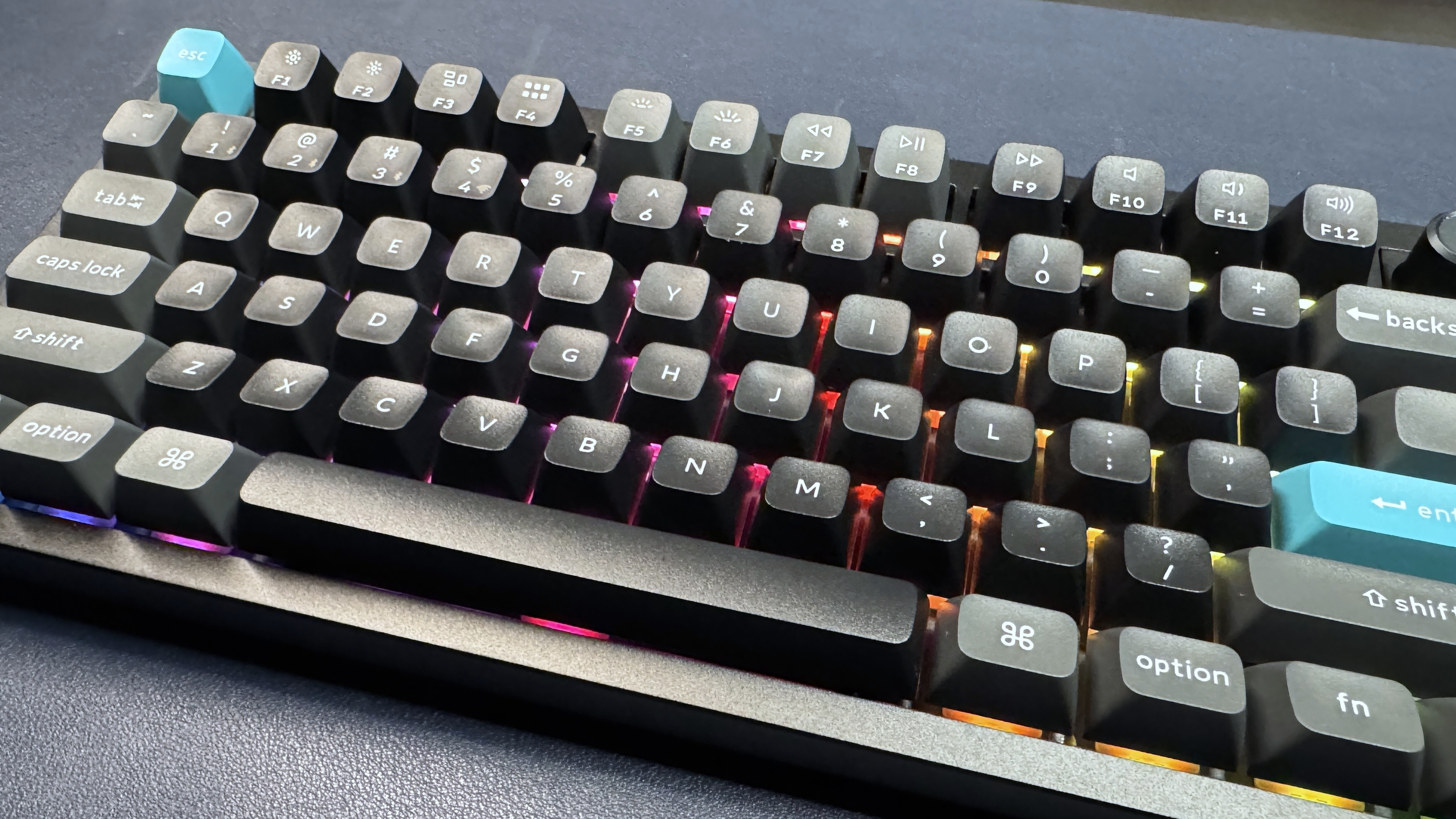
While it's true that both the keycaps and the switches in this keyboard can be swapped out pretty easily, the other features didn't really stand out enough for me to make that effort. The keyboard's 660-hour battery life over an 8,000 Hz polling rate is very impressive, but I don't really need a wireless full-size keyboard like this — it measures 17.56 inches (446mm) wide and weighs nearly 5 pounds (4.93lbs / 2,238g); it's not going further from my desk than any cable can stretch.

Source link