
Adobe rolls out major Creative Cloud updates for Lightroom, Premiere, Photoshop, more
 | Jun 15 2026 - 8:00 am PT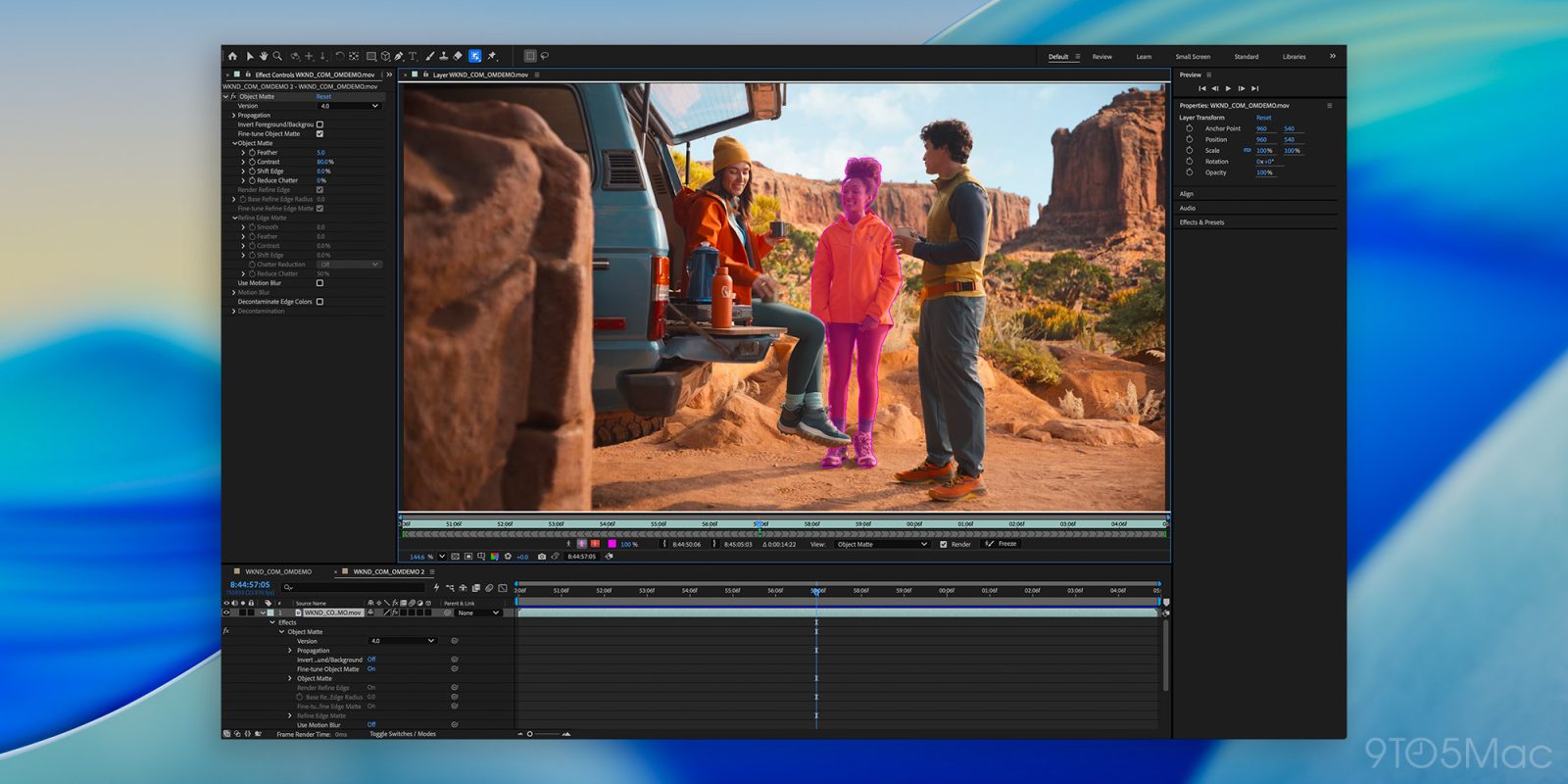
Adobe is rolling out a broad set of Creative Cloud updates this week, introducing new AI-powered tools and workflow improvements across Photoshop, Lightroom, Premiere Pro, After Effects, and Illustrator. Here are the details.
What’s new in Adobe Lightroom
With today’s update, Lightroom and Lightroom Classic are getting interesting features, including the general rollout of the Assisted Culling tool with updated capabilities.
Assisted Culling lets users quickly fine-tune thresholds for factors like Eyes Open and Eye Sharpness, helping them work through large photo libraries more efficiently. It can also group similar images and provides granular controls throughout the entire process.
Lightroom and Lightroom Classic also introduce Select Subject version 5, which features smarter masking capabilities for challenging photos, such as bicycle tire spokes, or hair.
Lightroom Classic now includes duplicate detection, which uses pixel data to identify duplicates and let users delete them. It also introduces an improved Denoise tool made specifically for Apple silicon Macs, which makes performance up to 3.6 times faster. It also offers a slider that lets users adjust the noise level with no extra processing required.
Lightroom, on the other hand, got two AI-powered features: Photo to Video, which creates videos from still images and Adobe says helps create B-rolls or reels, and AI Sharpen, which brings Topaz Labs’ Noise-Aware Sharpen mode directly to the app.
Other interesting Lightroom tidbits include AI-related metadata in the Library filter, 16-bit support for round-trip Photoshop edits on HDR images, adoption of a new open standard to simplify tethering support, and keyword syncing across Lightroom’s different versions.
Premiere and After Effects also get new features
Adobe is rolling out several tools and features, some AI-powered, to streamline creative workflows.
On Premiere, that includes:
- Global Audio Mute, which lets users silence audio across the entire app at once
- Marker Search, which quickly pulls up markers by color and name across open projects
- Channel Blur, Gradient, and Noise FX, with offer sliders and fine-tune controls to add these elements to scenes
- Stock Panel Checkout, offering a way to quickly preview and license Adobe Stock assets from within Premiere
- Other new features include: 3D spinback and slide transitions, object masking, and single-word captioning.
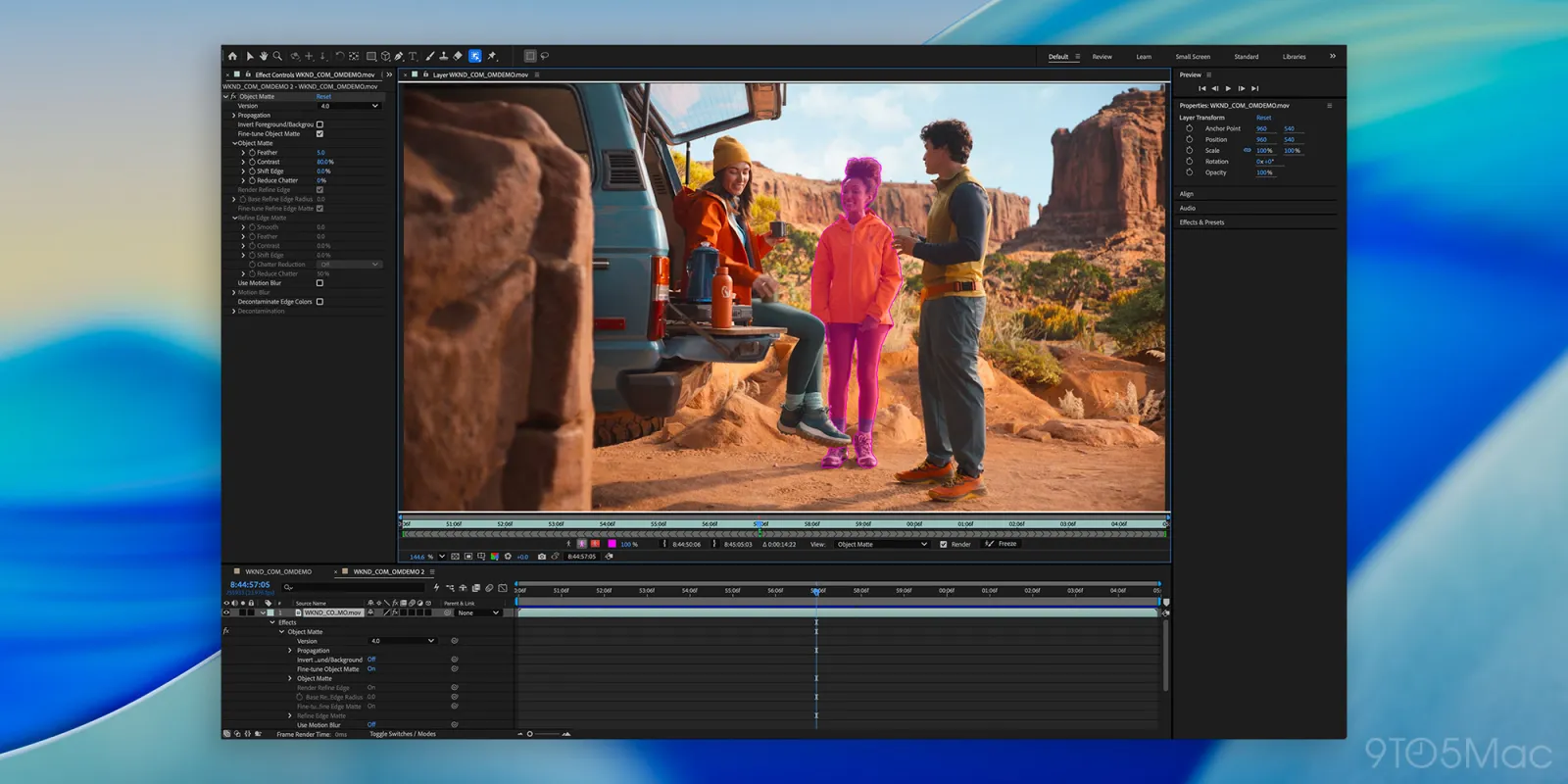
As for After Effects, it introduces four AI-powered tools for rotoscoping (Object Selection, Quick Selection, Selection Brush, and Refine Edge). It now also lets creators “add real surface depth with Displacement Maps, apply cinematic Depth of Field across models, meshes, text, and shape layers, and use scripting APIs for Parametric Meshes for more control over complex scenes.”
After Effects also improves pasting from Illustrator, and now finally supports SVG importing as editable shape layers.
Photoshop and Illustrator also get new features
Today’s announcement comes on the heels of new features recently added to Photoshop and Illustrator.
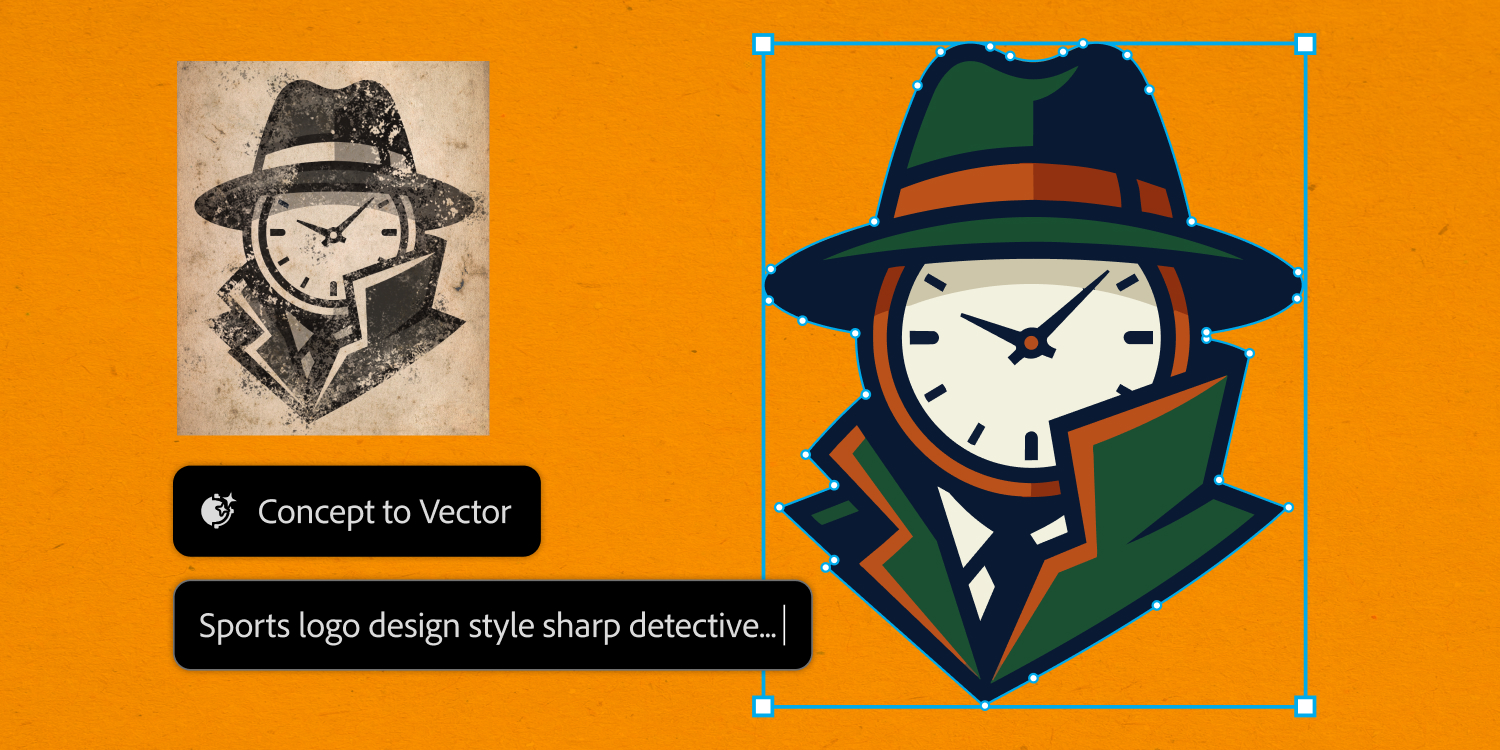
In Illustrator, the new Concept to Vector tool will likely replace Live Trace for many users, offering a much more refined, controlled, and complete set of tools to turn sketches, concepts, or even bitmap art into vector graphics.
As for Photoshop, users can now access the new Reflection Removal tool, which automatically detects reflections, places them on a separate layer, and lets users either remove them altogether or adjust their visibility.
Worth checking out on Amazon
- Geoffrey Cain – ‘Steve Jobs in Exile’
- David Pogue – ’Apple: The First 50 Years’
- MacBook Neo
- Logitech MX Master 4
- AirPods Pro 3
- AirTag (2nd Generation) – 4 Pack
- Apple Watch Series 11
- Wireless CarPlay adapter


FTC: We use income earning auto affiliate links. More.



Source link






Comments